How do I use SmartJudge with my spouse or partner?
SmartJudge is designed so one person can complete it alone. Every question about the other party is optional, so you never need your spouse’s involvement to get an assessment - see what happens if you don’t have all their information. That suits people who aren’t comfortable sharing information with their spouse, or who simply want to drive things forward themselves.
But it is also built for couples who want to work on it together - either filling the form in collaboratively, or with one person checking that what the other has entered is correct. Here are the ways to take a shared approach.
1. Fill the form in together
The simplest shared approach: sit down at one screen and answer the questions as a couple. Your progress is saved automatically, so you can do it over several sittings and there is no time pressure. One of you holds the account; you both see the same answers and the same report.
2. Share the answers you used, for their review
If you have filled the form in yourself, sharing the exact answers behind your report helps build trust in the result - and gives your spouse a fair chance to challenge anything they think is wrong.
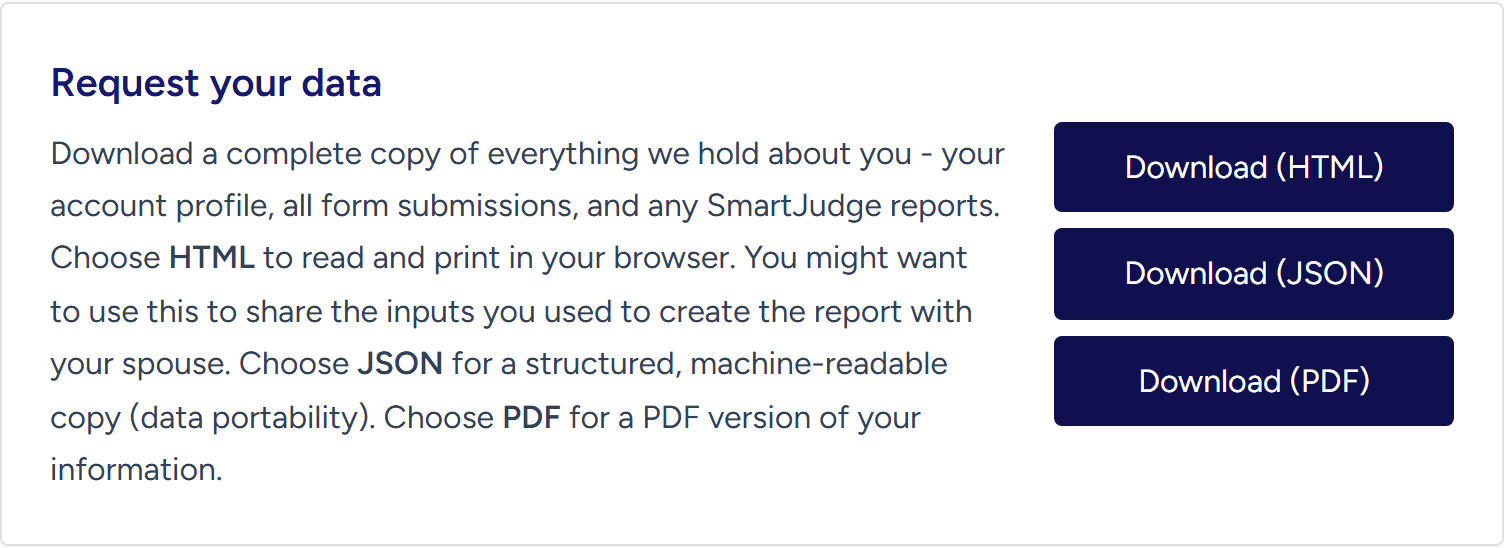
At any point - midway through the form or after completing it - tap the account icon in the top-right corner and choose My Information.

Under Request your data, choose Download (PDF) for a ready-to-share PDF of everything you have entered, or Download (HTML) if you would rather read it in your browser first.
3. Let your spouse run their own assessment
A document you produced may not be enough. Your spouse may want to check the figures themselves, add details only they know, or simply see a result they generated with their own hands. They can do that by creating their own free SmartJudge account and filling in the form themselves.
The download you shared makes a useful reference for them to work from, particularly for the questions about you as the other party. Estimates are fine, and every question about the other party is optional.
They will need to type the figures in themselves - the download you share cannot be uploaded into their account. SmartJudge’s only upload accepts your own completed Form E, never a document that came from the other party. That is a deliberate legal safeguard, not a technical limitation. And if you are already in court proceedings, speak to your solicitor before sharing financial documents with anyone.
Alternatively, your spouse can set your figures aside entirely and generate their own independent report. Comparing the two can itself be a useful conversation - if you agree on the inputs, you will usually agree on the shape of the outcome.
4. Sharing your login - think twice
You could simply give your spouse your login details, but be careful: it is easy to overshare. If you signed in with Google, Apple or Facebook, those credentials unlock far more than SmartJudge. And if your password is one you also use on other sites, sharing it is a genuine security risk.
If you do go this route, use an account created with an email address and a password you use nowhere else - and remember that anyone with the login can change your answers, generate reports, and permanently delete the account and everything in it. For most couples, the options above are the safer way to share.
Sharing the finished report
Whichever path you choose, you can always share the report itself once it has been generated. Open your report and choose Download PDF, or go to My Information and use Email Your Report to send the PDF straight to any address your spouse gives you.
Working alone or together, the assessment itself is free - and you decide exactly what gets shared, and when.
Start Your Free SmartJudge Assessment