How Do I Share My SmartJudge Report and the Data Used to Fill It In?
SmartJudge makes it easy to share your report and the financial disclosure you filled in. You will need both if you go for the solicitor review or the judge or barrister opinion. The reviewer uses them to check that the input you provided is accurately reflected in the generated report. You might also simply want to keep the details for your own records.
Download the data you filled in
- Log into smartjudge.ai and select My Information. You can find this by clicking the person icon in the top right, or by going to smartjudge.ai/your-data when logged in.
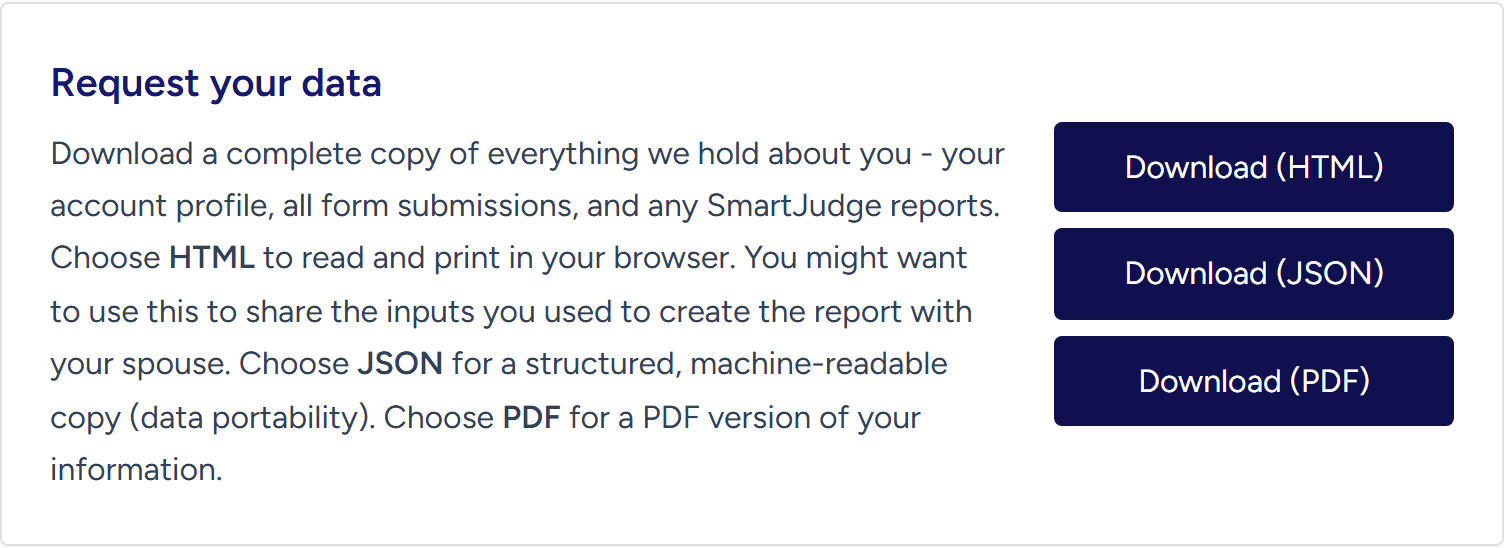
- Near the top you will see Request your data. In that section click Download (PDF) and it gives you all the data you entered into SmartJudge. Once downloaded you can share it or print it out.

Download your report
- Log into smartjudge.ai and select My Information, as above.
- Select the View My Report option.
- At the bottom of the report you will see Download PDF and Email PDF as options.
If you haven’t yet filled in all your information and generated a report, you will not have the option to download it yet.
You can also read how SmartJudge can help you fill in your Form E, and learn more about how SmartJudge looks after your data.
Your report and your data stay yours - download them whenever you need them.
Start Your Free SmartJudge Assessment